MRMhub-viz: Integration Visualiser
MRMhub-viz is a standalone, interactive application for reviewing the peak-integration results produced by INTEGRATOR (see Processing Workflow — Step 3). It reads the binary results written to the misc/ folder during peak integration, so Step 3 must have been run at least once before a dataset can be displayed.
Running MRMhub-viz
MRMhub-viz is a self-contained executable (~10 MB) that resides in the same folder as the MRMhub application. It is started by double-clicking MRMhub-viz (macOS) or MRMhub-viz.exe (Windows), or from a terminal opened in the project folder. On first launch after download the operating system shows a one-time security prompt — see clearing the security prompt.
Chromatogram and integration review
The transition to inspect is selected from the list in the top-left corner. For that transition, the extracted ion chromatograms of the individual samples are shown together with the detected peak and its left and right integration borders, so the integration can be reviewed across the entire analytical sequence at a glance. Moving the pointer over a chromatogram reports the exact retention time at the cursor — the value used when defining fixed peak borders in the transition list (see Input Files — Transition list).
The list also contains the reference samples (marked REF), each showing all transitions of that sample. For a transition, the displayed retention-time range and maximum intensity can be set, and the size of the chromatogram panels is adjustable; changes to these settings are applied immediately. Loaded data are cached, and chromatograms appear as they load and are drawn only as they scroll into view, so large projects remain responsive. A status line above the list reports loading progress and errors; selecting another entry cancels a load in progress. After INTEGRATOR has been re-run, the ↻ button reloads the results from misc/.
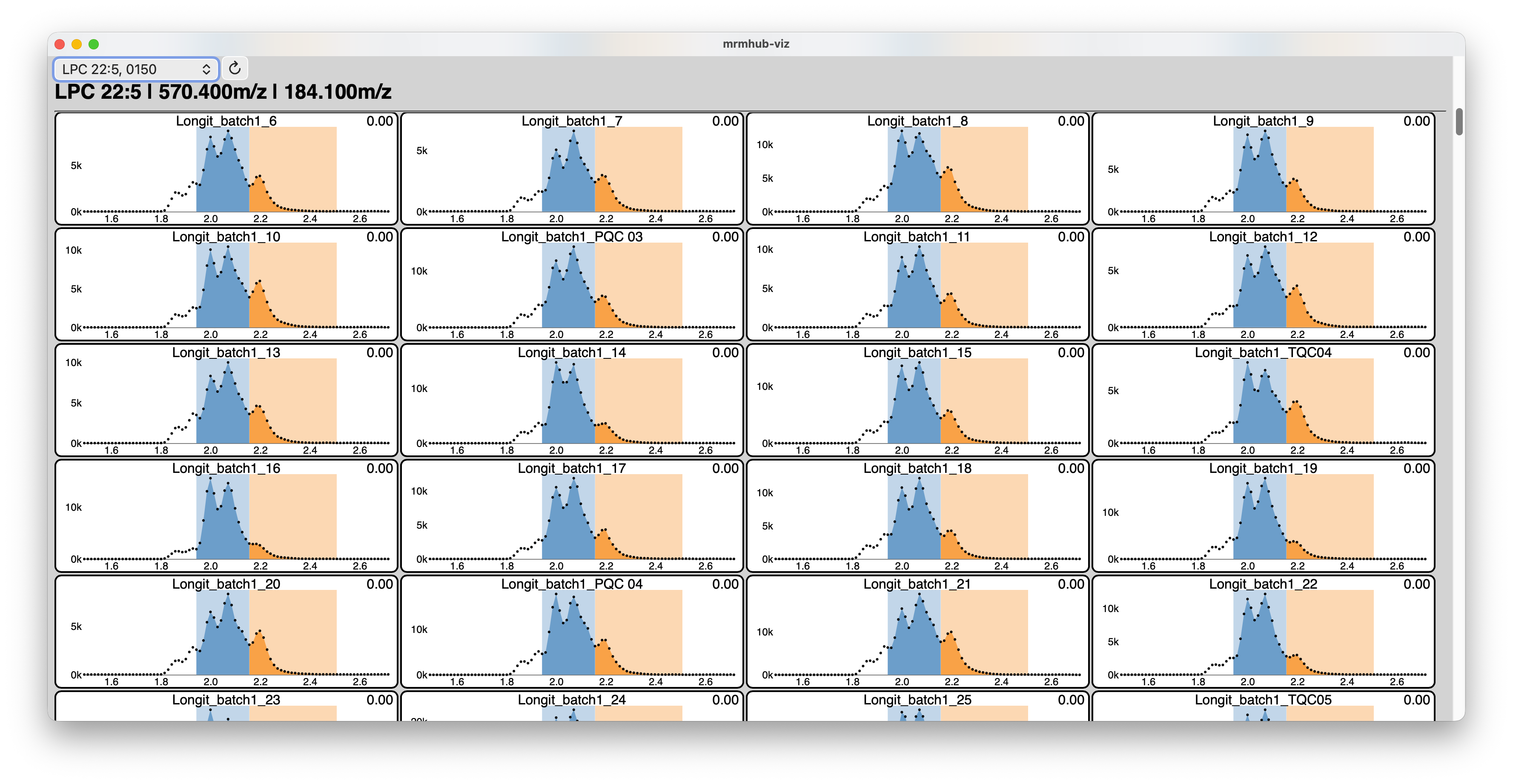
MRMhub-viz allows inspection of the integration results for an iterative review → refine loop. See Tuning Peak Integration.
See also
- Tuning Peak Integration — the parameters to adjust and the review → refine loop.
- Edit the input files — adjust global and per-feature parameters.
- Processing Workflow — re-run peak finding and integration after each change.